

- Joined
- Oct 30, 2003
- Posts
- 34,075
this is a wiP.... Once I'm done, I'll send it to the sgr.
Dsub-15 Pinout:
1 Common
2 Button K1
3 Select
4 Button D
5 Button B
6 Right
7 Down
8 5V +
9 Button K 2
10 Button K 3
11 Start
12 Button C
13 Button A
14 Left
15 Up
Custom Stick Layout:

(A,B,C,D,Start,Coin) are standard Neo Geo Buttons. (K1,K2,K3) go to the Extra Button (Kick) Harness. Atomiswave button (E) can be wired to one of the Kick buttons (see Below)
Custom Harness Input:
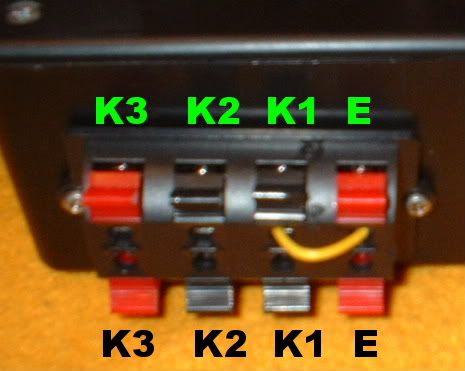
(K1), (K2) and (K3) are wired to the Dsub-15.
(E) is wired to Pin 26/d' on the Jamma Harness.
Note that a Jumper between (K1) and (E) makes button (K1) on the custom stick to press the Atomiswave's Fifth Button.
Select/Coin Switch:
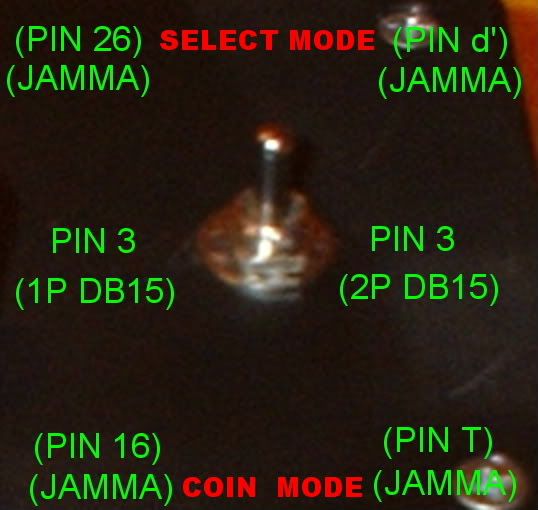
Select Mode: Allows Select Button on Neo Geo Controller to activate the Atomiswave's fifth Button (or the game select button on the MVS).
Coin Mode: Drops Coins as normal.
Dsub-15 Pinout:
1 Common
2 Button K1
3 Select
4 Button D
5 Button B
6 Right
7 Down
8 5V +
9 Button K 2
10 Button K 3
11 Start
12 Button C
13 Button A
14 Left
15 Up
Custom Stick Layout:
(A,B,C,D,Start,Coin) are standard Neo Geo Buttons. (K1,K2,K3) go to the Extra Button (Kick) Harness. Atomiswave button (E) can be wired to one of the Kick buttons (see Below)
Custom Harness Input:
(K1), (K2) and (K3) are wired to the Dsub-15.
(E) is wired to Pin 26/d' on the Jamma Harness.
Note that a Jumper between (K1) and (E) makes button (K1) on the custom stick to press the Atomiswave's Fifth Button.
Select/Coin Switch:
Select Mode: Allows Select Button on Neo Geo Controller to activate the Atomiswave's fifth Button (or the game select button on the MVS).
Coin Mode: Drops Coins as normal.
Last edited:


