Is all this stuff on the back of the machine?

mvsholic

Angel's Love Slave
Joined
May 15, 2001
Posts
904
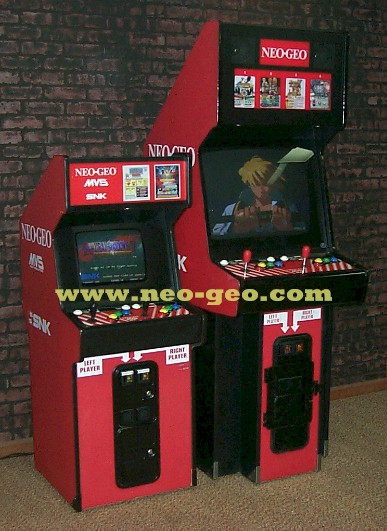
Please describe you neogeo cabinet.

Also please make sure to click add reply instead of add new topic. <IMG SRC="smilies/wink.gif" border="0">
 
E

Emulators4Ever

Guest
it is a NeoGeo 4 game cabinet., um, the screen kinda slants away, just like a classic cabinent
 

mvsholic

Angel's Love Slave
Joined
May 15, 2001
Posts
904
Do you have to sit down to play or stand up?

Is it white/plastic or red/wood?
 

mvsholic

Angel's Love Slave
Joined
May 15, 2001
Posts
904
Ok.

There are two ways to get into the setup mode that will allow you to change the difficulty level. The first one is by flipping/pressing the test switch. This is usally located near the coin door. Open the coin door and look around for a switch.

The second option involves flipping a switch on the pcb which is inside the cabinet. Once you have opened the cabinet follow the wires to the pcb (printed circut board) and look on the sides of the pcb. There will be a row of switches each with their own number 1-8. Flip 1 down. Then turn on the machine to access the setup mode.
 
E

Emulators4Ever

Guest
ok, so if i get to the test switch, do what you said, turn the game off, flip switch... etc? The only snafu is that I don't own the machine, it's here at the college but if I know how to do it, I can ask them to do it for me but using the test switch, do what you said about the dip switch? Thx 4 your help

 

Arakon

Robert Garcia's Butler
Joined
Apr 5, 2001
Posts
1,280
I doubt your college is gonna allow you to access the menus, as I'm pretty sure they're trying to make money on this.
 
Top