Sega STV Black Screen issue

Liq_Wurm

Krauser's Henchman
Joined
Jun 15, 2002
Posts
927
Code:
[edit]
ok new problem, now all i get when i plug in the board is a black screen. help!

Question for the pro's hear in the hardware tech section.

I recently picked up a CPS1 cab it was converted to a Sega ST-V Batman Forever, setup, batman forever has an external soundboard hooked up to the ROM board, and it allowed me to change the volume level when accessing the "game setup" menu in the bios.

I recently picked up a Die Hard Arcade cart and tried it out, however because Die hard arcade does not use the external sound board, so I connect the + and - via the Jamma edge directly to the speakers, like i would with any other jamma board.

problem is I do not have any way of adjusting the volume to the speakers, and the result is VERY LOUD. there are no volume adjustment on the STV mobo or in the bios either

what do i do?

Will i have to purchase an external audio amp to regulate the volume?

thanks in advance
 
Last edited:

chris1

POCKETBIKE NUT,
Joined
Oct 18, 2002
Posts
10,830
I think there is a volume setting within the soft dips (On screen adjustment) for the volume...I guess that would be the bios...but you say you don't have this setting correct?

I'm sorry but it's been a long time since I've messed with the STV stuff.
 

LameKat

Armored Scrum Object
Joined
Oct 26, 2004
Posts
252
If you are holding the pcb with the jamma edge facing you, there is a small adjustment knob in the lower left corner with the numbers 103 on it, this is the volume adjustment.
 

Liq_Wurm

Krauser's Henchman
Joined
Jun 15, 2002
Posts
927
Thanks for the info, yea it's the strangest thing, it was working just fine in my cab initially, i moved my cab inside & left the original board elevated about 2 feet off the ground in the garage for maybe a week or two... it rained so maybe the moisture fucked it up somehow, i'm not sure, but one thing that is for sure, these STV's are delicate.
 

LameKat

Armored Scrum Object
Joined
Oct 26, 2004
Posts
252
Have you set it up as it was with the Batman parts since?
 

Liq_Wurm

Krauser's Henchman
Joined
Jun 15, 2002
Posts
927
well a friend sold me his Die hard arcade rom board witch i did confirm to be working and i had left that plugged in, but i get a black screen when there is no cart either.

i'll try and hook the batman back up & see if it works. but i think the motherboard is dead.
 

chris1

POCKETBIKE NUT,
Joined
Oct 18, 2002
Posts
10,830
I do know that they are power hungry....

Scenario:
STV boards would give me a black screen and never work in my Candy cab though they do work in my MVS cabs,tekken 3 and Klax..

So the black screen may not mean it's dead.

The first time I plugged an STV into the Candy cab it did work,I played then turned off the cab,,,,a few days later black screen(OH NO) it just never worked in that can again..IMO Power Supply.There's a real dinky PS in the Candy cab..
..I got a black screen no matter how many times I plugged it in and I had 3-4 STV boards do this,but theyd come on in my other cabs.....totally stumped on why.
The MVS 4 slot Candy cab is wired the same as the US MVS 4 slots etc.

Re-seat the bios chip,clean the edge connector..Make sure the pins in the harness are making a good contact on the board edge connector..plus not upside down..
Raise the PS voltage up a tad....
 

Liq_Wurm

Krauser's Henchman
Joined
Jun 15, 2002
Posts
927
Ok been reading up on this stuff. and i think my next bet is the power supply i'd like to bump up the output voltage to see if this helps. The STV was working just fine in this cab until recently, so i am not sure why it's giving me the black screen.

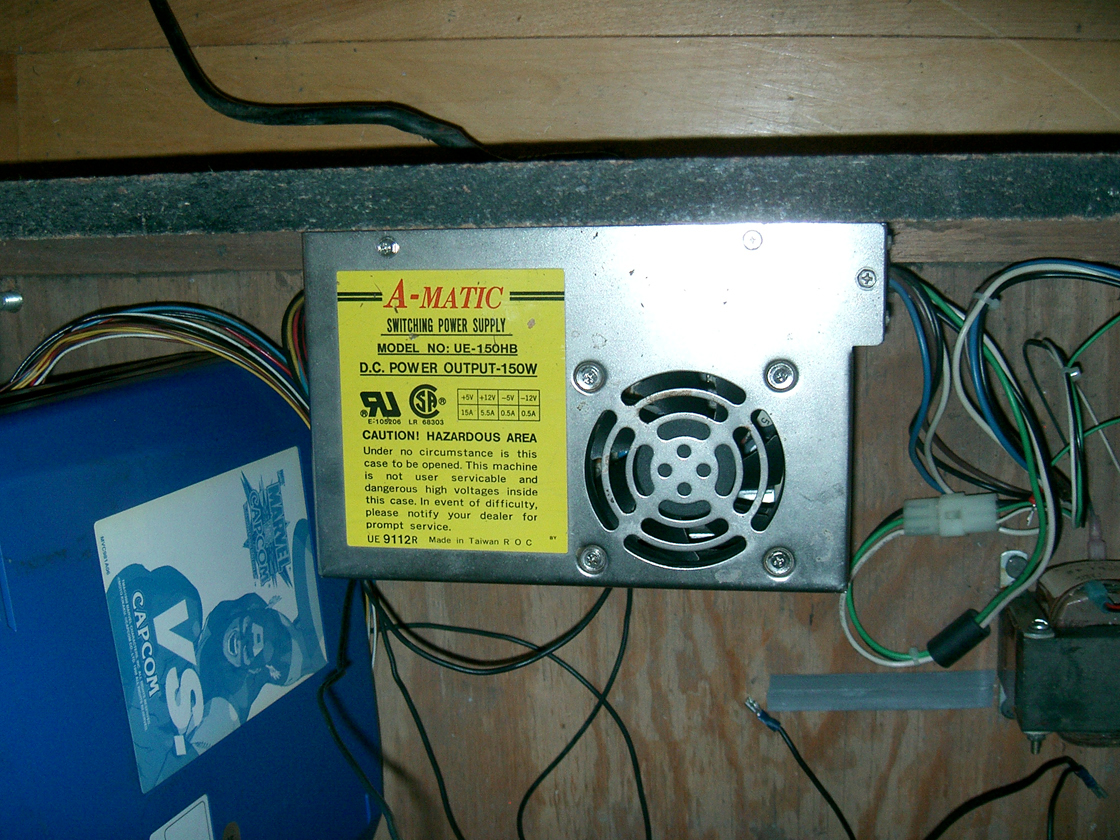
In any case this is the power supply I have A-Matic UE-150 HB "Switching power Supply"
powersupply%20002.jpg

The unit is solid and there are white square molex disconnects on both sides, one powering the jamma harness, other for the monitor & marquee light.

I see one switch on the left side that goes from 10V to 20V (like on a PC power supply)

Should i switch that & give it a try, or is there some other manual way to adjust these levels?

thanks.
 
Top